Utilities · iPhone
Loudmark - Decibel Meter
A decibel meter that speaks plainly, and keeps proof when noise is a problem.
See dBA live with a plain comparison, then keep photos and videos stamped with the level, an overnight log and a PDF report for your landlord or council.
Free to download · Requires iOS 26.0 or later
Features
What Loudmark - Decibel Meter does for you
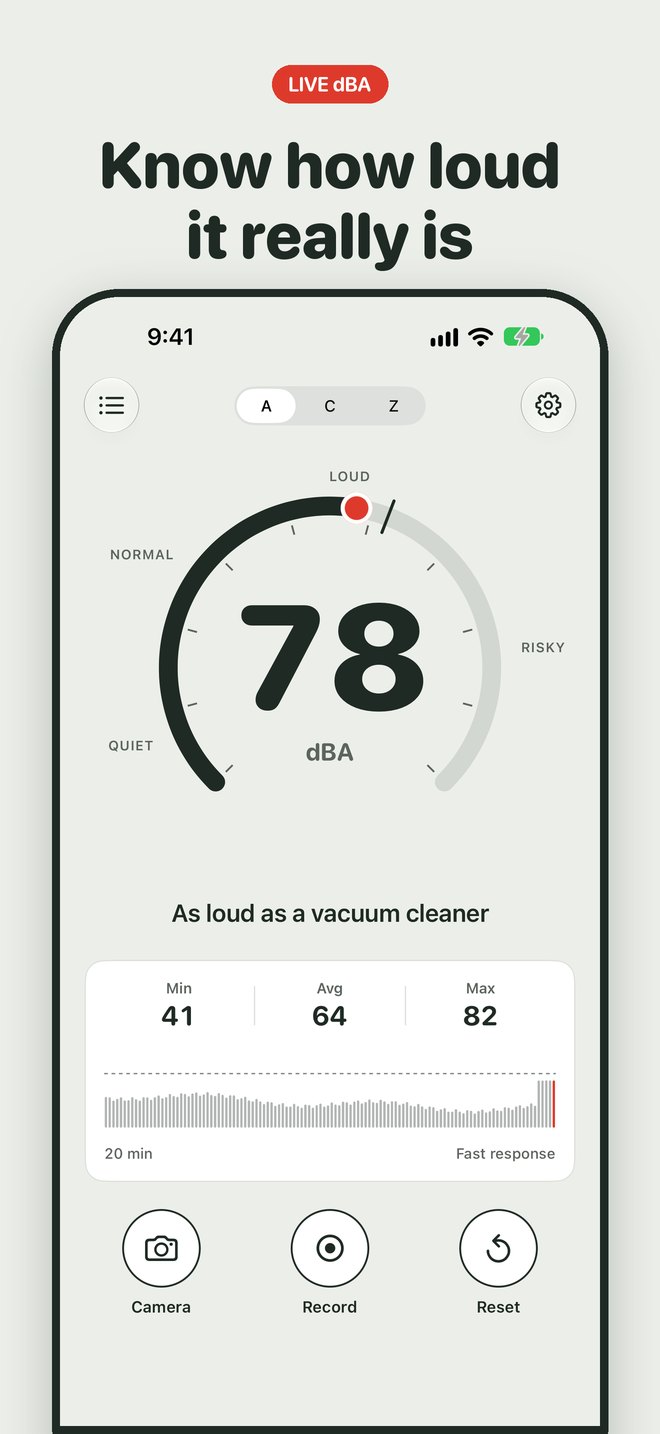
Know how loud it really is
A big live number in dBA, a needle ring and one plain line, like "As loud as a vacuum cleaner". Switch to dBC or dBZ with a tap. Min, average (Leq) and max sit under a scrolling graph.
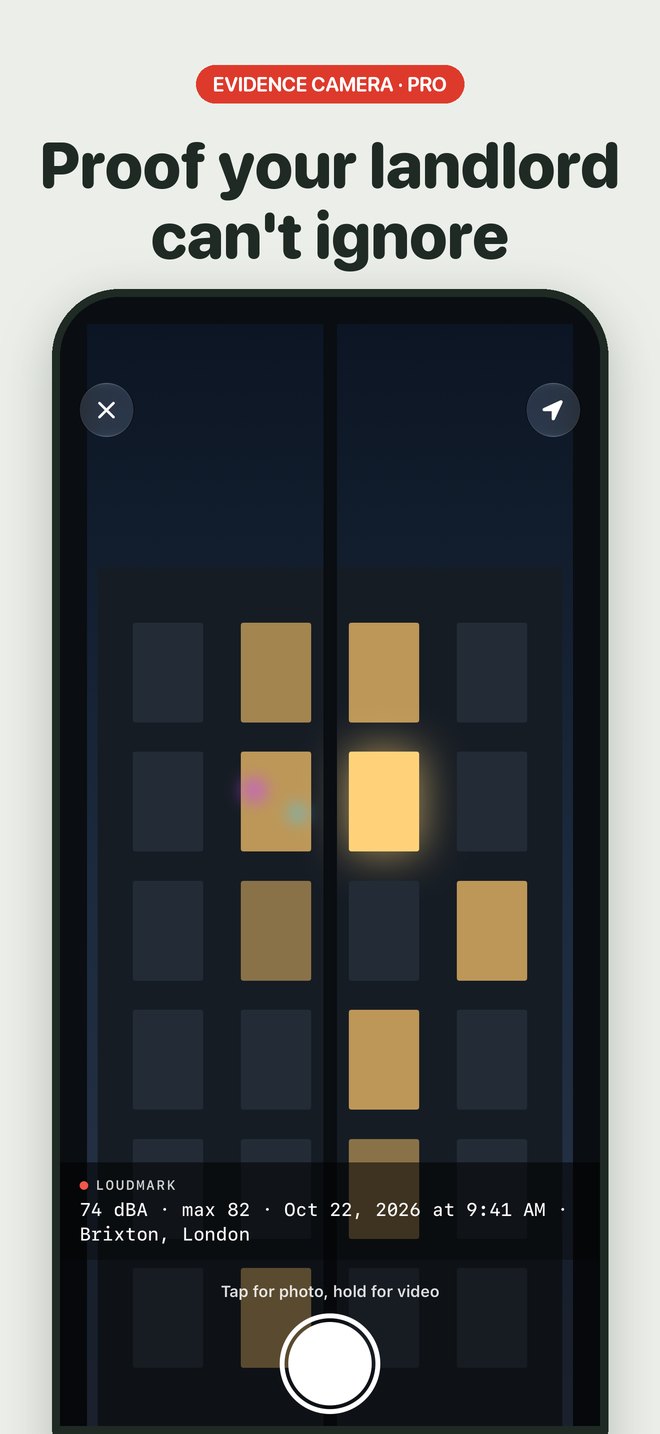
Proof your landlord can't ignore
The evidence camera burns the level, the max, the date, the time and the place into every photo and video, and saves it to Photos and to the session.
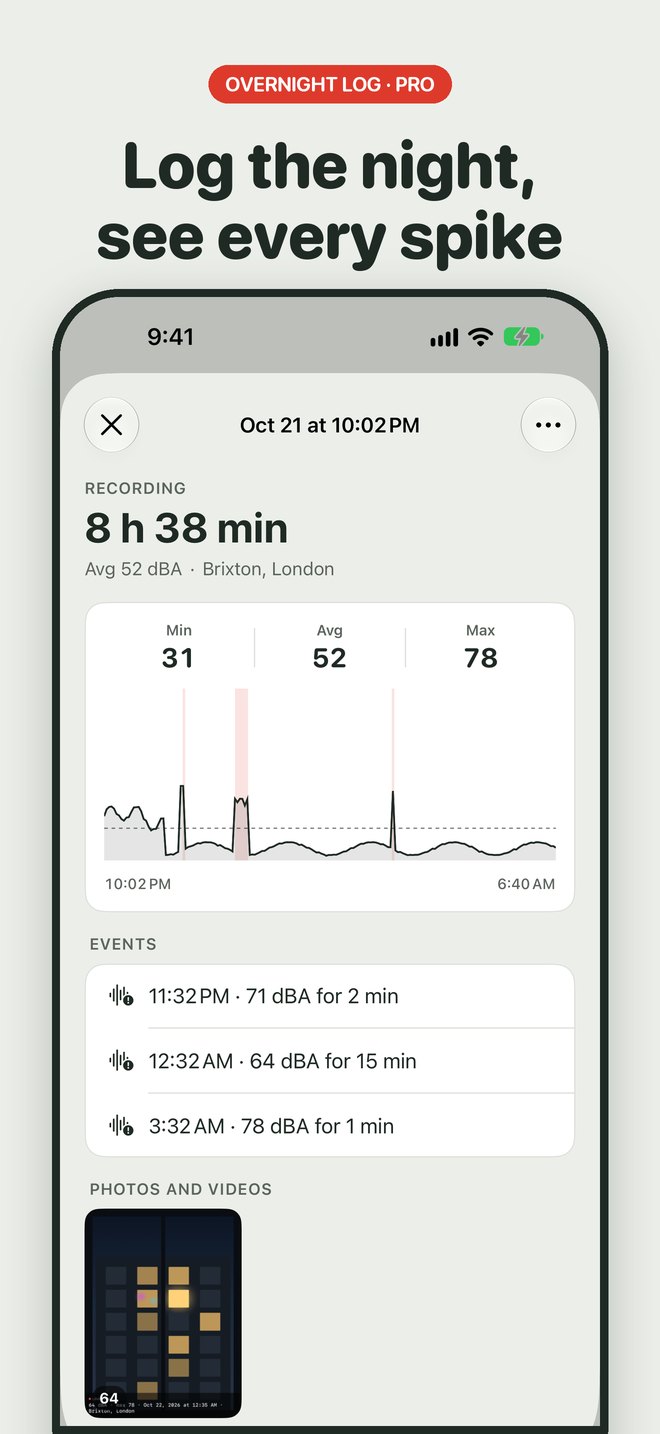
Log the night, see every spike
Start a recording and put your iPhone down. Loudmark measures with the screen off for up to 12 hours and keeps a short clip of every time the noise stays above your limit.
A report in one tap
Turn any session into a clean PDF with the graph, Leq, max, a table of events, your photos and your notes, ready to send.
Honest about your mic
iPhone mics top out around 95 to 100 dB and can be a few dB off. Loudmark says when you're near the limit, and you can calibrate it against a real meter in 0.5 dB steps.
On your Home and Lock Screen
Widgets show your last session and its max. The Measure noise control opens the meter from Control Center or the Action button.
How it works
Up and running in a minute
- 1
Allow the microphone
The meter is already running behind the first screen. Allow the mic and the number starts moving.
- 2
Say what you're measuring
Neighbors, a workshop, a gig, a classroom or your hearing. Loudmark sets a sensible alert level for it.
- 3
Measure, then keep proof
Read the level in plain words. When it matters, snap a stamped photo, log the night and make a report.
About
Why we built Loudmark - Decibel Meter
Decibel meter apps tend to let people down in the same few ways, and their reviews say so. Free versions show dBZ and call it a reading, so the number looks higher than what you hear. Subscription screens can’t be closed. There’s no way to check whether the number is right. And when the noise is your neighbor’s, a number on a screen proves nothing once you put the phone down.
Loudmark was built around those complaints. The meter shows dBA for free, says in plain words what the level compares to, and lets you calibrate against a real meter. When noise becomes a problem, it keeps proof: photos and videos with the level stamped on them, an overnight log with a clip of every loud moment, and a PDF report you can send.
It is honest about what an iPhone can do. Its mic tops out around 95 to 100 dB, and Loudmark is not a certified sound level meter. There is no account, sound is saved only when you start a recording, and it stays on your iPhone.
Pricing
Simple, upfront pricing
Live dBA, dBC and dBZ, the comparison line, the session graph with min, average and max, calibration, an 85 dB alert and the widgets.
Weekly
$3.99 per week
Yearly
$24.99 per year
Lifetime
$34.99 one-time purchase
Includes a 3-day free trial. Subscriptions renew automatically unless cancelled at least 24 hours before the end of the period. Cancel any time in Settings › Apple ID › Subscriptions. Prices are in US dollars and may vary by country.
Free tool
- How loud is it? A rough sound level from your phone or laptop microphone, with a plain comparison. Nothing is recorded or uploaded.
Questions, answered
Is Loudmark free?
Yes, the meter is free: live dBA, dBC and dBZ, the comparison line, the session graph with min, average and max, calibration, an 85 dB alert and the widgets. Loudmark Pro adds the evidence camera, overnight recording with event clips, PDF reports, your own alert level and reference sounds, all three weightings at once and the Live Activity: $24.99 a year with a 3-day free trial, $3.99 a week, or $34.99 once.
Is there a one-time purchase?
Yes. Loudmark Pro Lifetime is $34.99 once, with no subscription.
Will I be charged when the trial ends?
Only if you keep it. Loudmark reminds you the day before the 3-day trial ends, and you can cancel any time before then in Settings.
How accurate is an iPhone decibel meter?
Good enough to compare levels and spot problems, within a few dB on most iPhones. iPhone microphones top out around 95 to 100 dB, so very loud sounds read low, and Loudmark tells you when you're near that limit. For better numbers, calibrate it against a real sound level meter in Settings.
Can I use the report in a noise complaint?
You can share it as supporting evidence with a landlord, managing agent, HOA or council, along with your own notes. Loudmark is not a certified Class 1 or Class 2 sound level meter, and the report says so. Rules differ by place, so ask the body you're complaining to what they need.
Does Loudmark record my conversations?
No. The meter only measures levels. Sound is saved only when you start a recording, and then only short clips of loud moments, which stay on your iPhone.
Does the evidence camera use my location?
Only if you allow it. Loudmark asks for your location while you use the camera so the stamp can name the street or area, for example Brixton, London. Apple's maps service turns it into a place name; we never receive it. Without permission the stamp shows the level, the max, the date and the time.
Why dBA and not dBZ?
dBA follows how people hear, so it is the scale used for most noise rules and hearing guidance. Some free apps show dBZ, which counts low rumble you barely hear and can read higher. Loudmark shows dBA by default, and dBC and dBZ are one tap away.
Which iPhones does it work on?
Any iPhone with iOS 26.
How do I cancel?
Open the Settings app, tap your name, then Subscriptions, then Loudmark, and cancel. You keep Pro until the end of the period you paid for.
Still stuck? Visit Loudmark - Decibel Meter support. We answer every email.