Productivity · iPhone
Linen: Transcription
Voice memos, recordings and videos to text, right on your iPhone.
Turn voice memos, audio and video into clean text with timestamps. Transcription runs on your phone, so nothing is uploaded and there are no minutes to buy.
Free to download · Requires iOS 26.0 or later
Features
What Linen: Transcription does for you
Never leaves your phone
Linen uses Apple's on-device speech engine. Your audio is not uploaded anywhere, there is no account to make, and it works in airplane mode once your language is on the phone.
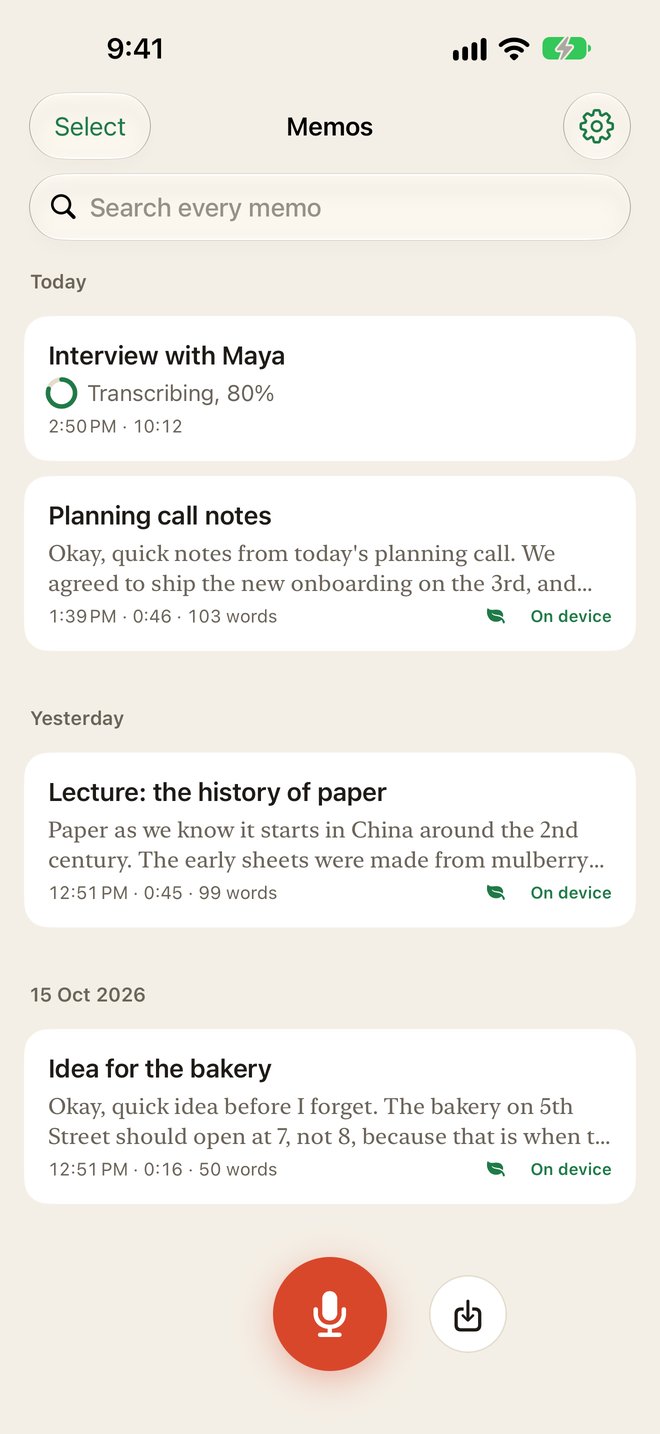
Record or import anything
Record in the app, even with the screen locked. Or share a memo from Voice Memos, pick an audio file from Files, or choose a video from Photos and Linen takes the audio out of it.
Tap a line, hear it
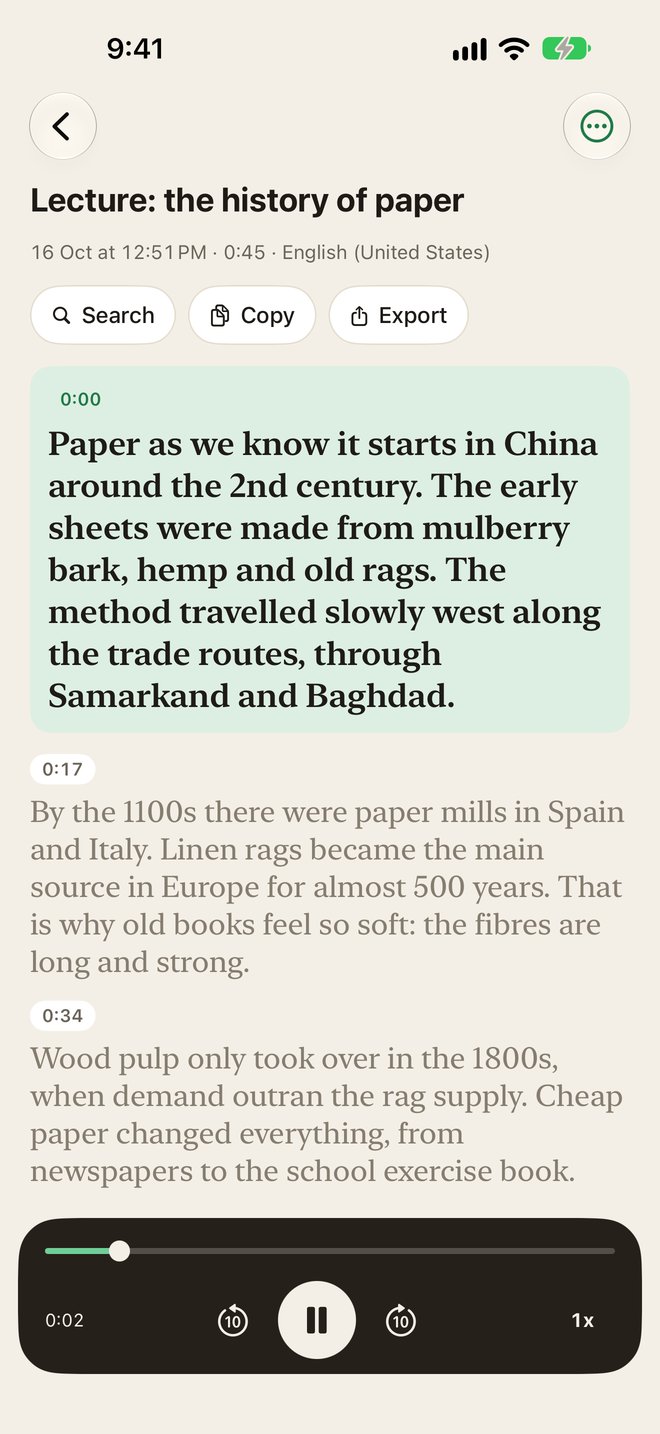
Every paragraph has its time. Tap one and the audio plays from there, with the paragraph you hear lit up as it goes. Play at 1x, 1.5x or 2x and skip 10 seconds either way.
Find any word
Find a word inside one memo, or with Linen Pro search every transcript at once and jump straight to the moment it was said.
TXT, SRT, copy
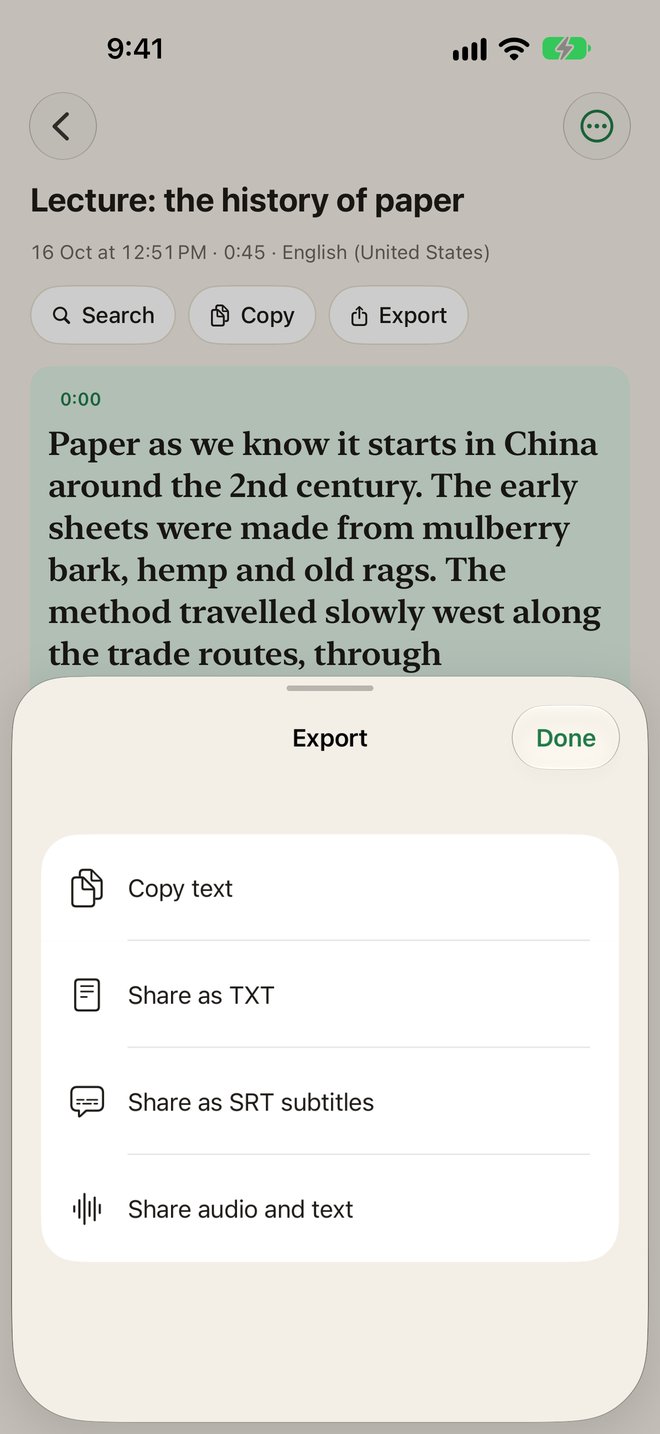
Copy the text or share it as a TXT file. Linen Pro adds SRT subtitles, timed and split into short readable lines, and sharing the audio together with its transcript.
No minutes to buy
Most transcription apps sell hours or credits. Linen runs on your phone, so a long lecture costs the same as a short memo: nothing extra.
How it works
Up and running in a minute
- 1
Hear a sample
Linen plays a short memo and shows the text it heard, then asks which language you speak.
- 2
Record or bring in a file
Tap the red button to record, or the import button for Voice Memos, Files or a video from Photos.
- 3
Read, play and share
The transcript is ready in seconds. Tap any paragraph to hear it, then copy or export it.
About
Why we built Linen: Transcription
Most transcription apps want one of two things from you: your audio, uploaded to their servers, or your money, by the minute. People in their reviews say the same things again and again. The free tier runs out after a few minutes, long recordings cost extra, a meeting they recorded is now on someone else’s computer, and the text comes back as one huge block with no way to find the part they needed.
Linen was built around those complaints. Since iOS 26, iPhones have a fast, accurate speech engine built in, and Linen uses it. Your recordings are turned into text on your phone, in seconds, and they stay there. There are no minutes to count, so a two hour lecture costs the same as a ten second note.
The text is laid out to be read: short paragraphs, each with the time it was said. Tap a paragraph and you hear it, with the part you’re hearing lit up as it plays. When you’re done, copy it, share it as a text file or, with Linen Pro, as SRT subtitles for a video.
Pricing
Simple, upfront pricing
3 transcripts up to 5 minutes each, find in a memo, copy and TXT export.
Weekly
$4.99 per week
Yearly
$29.99 per year
Includes a 3-day free trial. Subscriptions renew automatically unless cancelled at least 24 hours before the end of the period. Cancel any time in Settings › Apple ID › Subscriptions. Prices are in US dollars and may vary by country.
Questions, answered
Is Linen free?
Your first 3 transcripts are free, up to 5 minutes each, with no card needed. Linen Pro unlocks unlimited transcripts of any length, search across every memo, SRT export and audio sharing: $29.99 a year with a 3-day free trial, or $4.99 a week.
Is my audio uploaded?
No. Transcription runs on your iPhone with Apple's on-device speech engine. Your recordings and transcripts are stored on your phone and are never sent to us or anyone else.
Which languages does it support?
English, French, Italian, German, Spanish, Portuguese, Japanese, Korean, Chinese and more, as supported by Apple's on-device engine. Each language downloads once, then works offline.
How do I transcribe a recording from Voice Memos?
In Voice Memos, tap the recording, tap the share button and choose Linen. The memo appears in Linen the next time you open it and is transcribed on the spot.
Can it transcribe a video?
Yes. Tap the import button, choose Video from Photos or a file from Files, and Linen takes the audio out of the video and transcribes it.
Which iPhones does it work on?
Linen needs iOS 26, because it uses the speech engine Apple added in that version.
How do I cancel?
Open the Settings app, tap your name, then Subscriptions, then Linen, and cancel. You keep Pro until the end of the period you paid for.
Still stuck? Visit Linen: Transcription support. We answer every email.